
Applies to: WebinarJam and EverWebinar
A double opt-in subscription process requires people to confirm their email address after signing up, usually by clicking a link in a confirmation email. While it adds one extra step, it comes with several important advantages for list quality, deliverability, and compliance.
Why use double opt-in?
Double opt-in can help you:
- Improve email deliverability by confirming valid email addresses
- Reduce fake or mistyped registrations
- Maintain a cleaner registration list
- Ensure attendees actively agree to receive webinar communications
- Improve engagement rates from confirmed registrants
Enable double opt-in
To enable double opt-in registration for your webinar:
- Edit your webinar.
- Go to the Registration tab.
- Locate Single or double opt-in.
- Select Double opt-in.
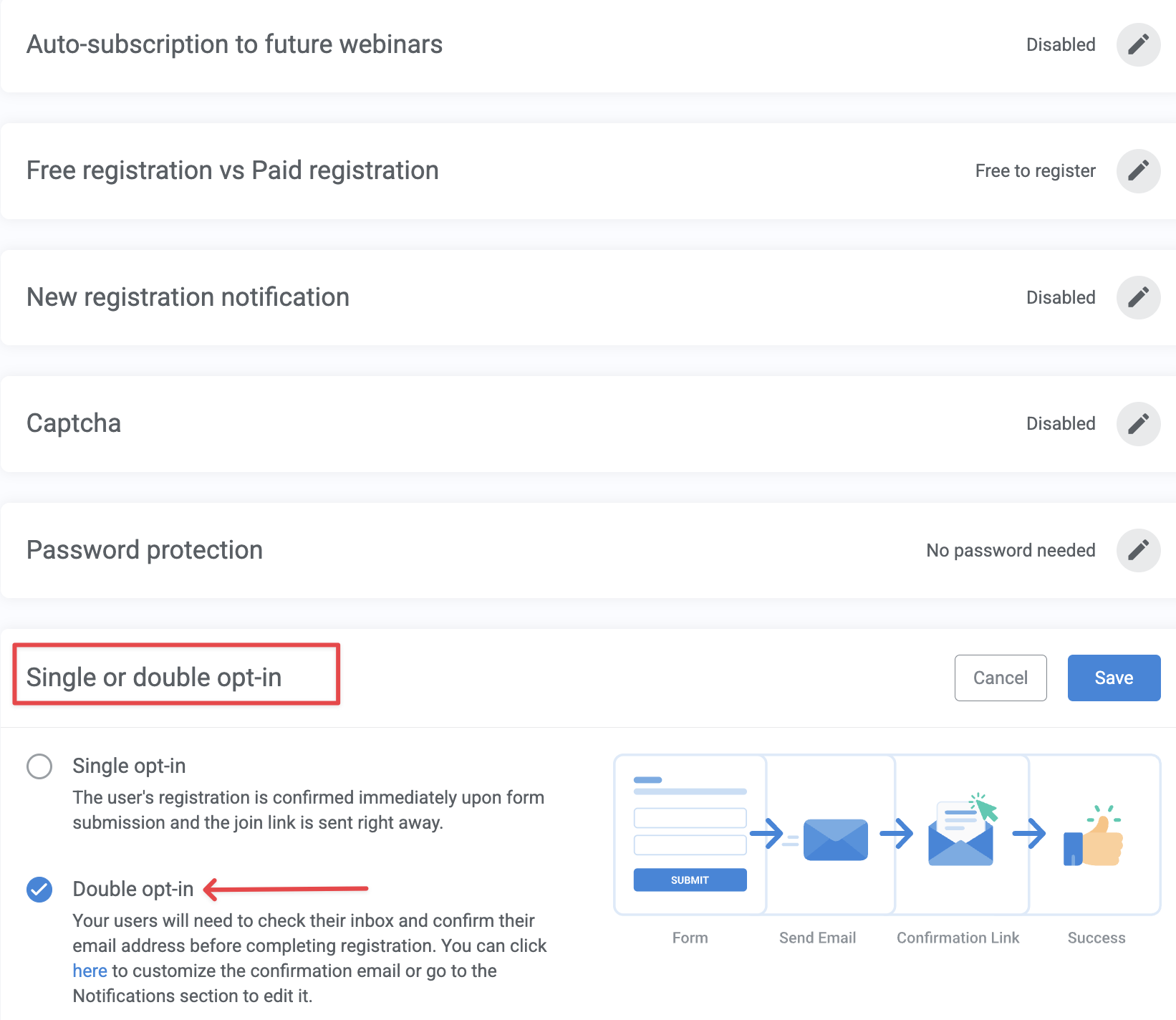
Once enabled, all new registrants must confirm their subscription before they are added to the webinar registration list.
Important: Double opt-in is only available when WebinarJam or SMTP is selected as the notification gateway. If you choose an autoresponder to send webinar notifications, the double opt-in option will not be available.
Customize the double opt-in confirmation email
You can customize the double opt-in confirmation email from the Notifications tab. 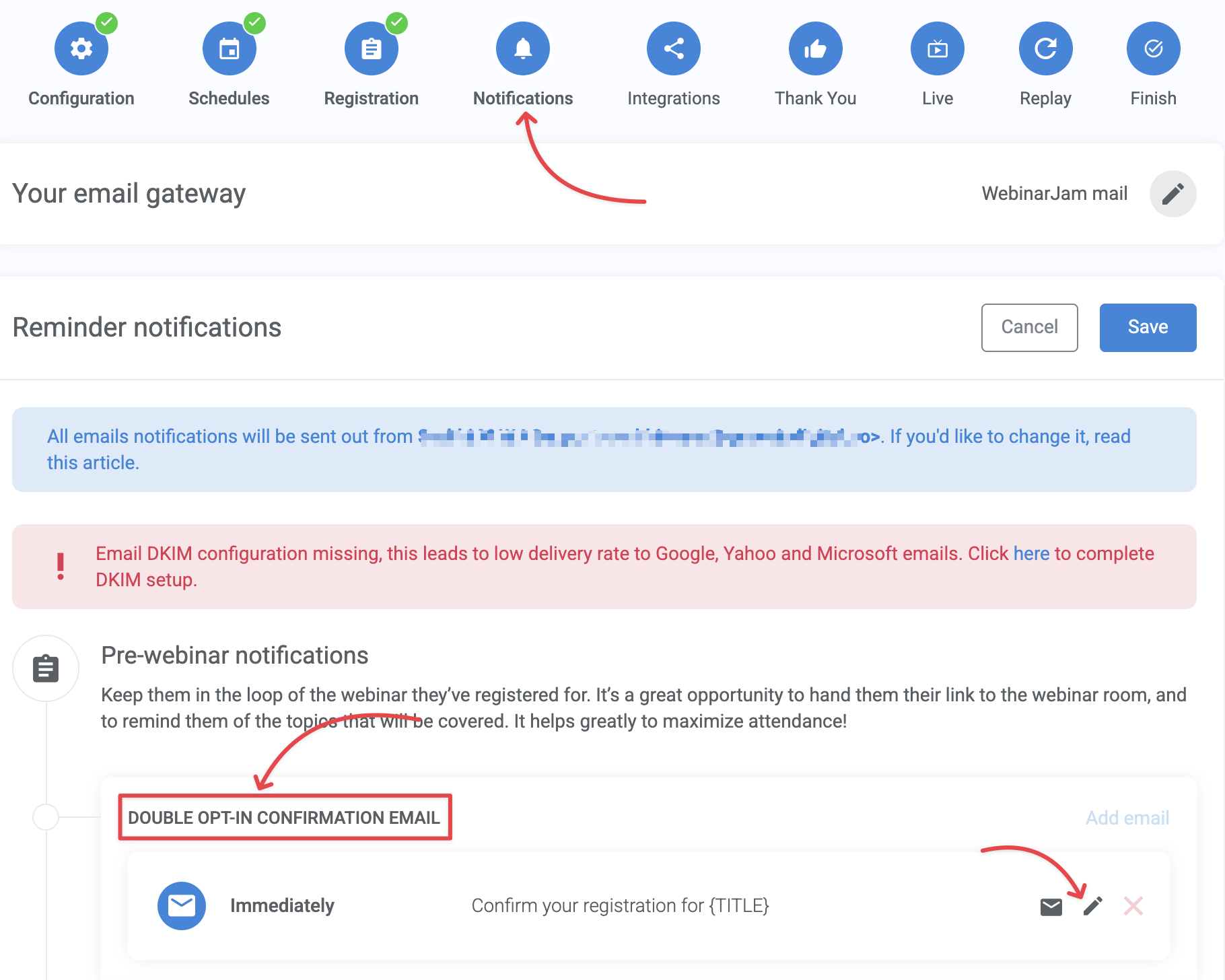
Important:
- The email must include the {CONFIRM_LINK} shortcode.
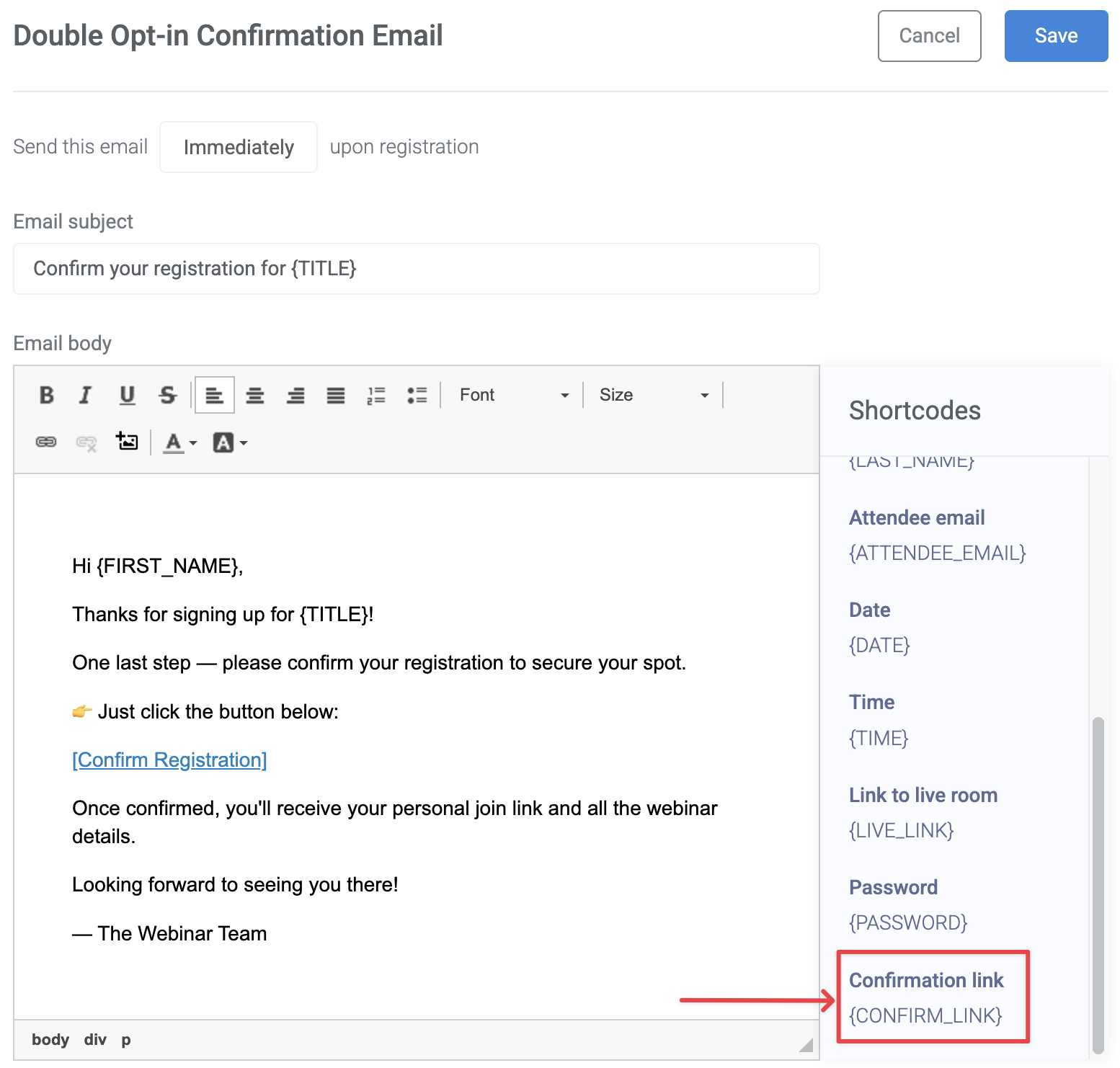
- The shortcode automatically inserts the confirmation link that registrants use to verify their subscription.
- This email cannot be deleted. Without it, users will not be able to confirm their subscription and the double opt-in flow will not work. Switch to the single opt-in option to disable this notification.
Note: You can track the number of double opt-in confirmation emails sent in the Analytics > Notifications section.
What attendees experience
After a person registers for the webinar:
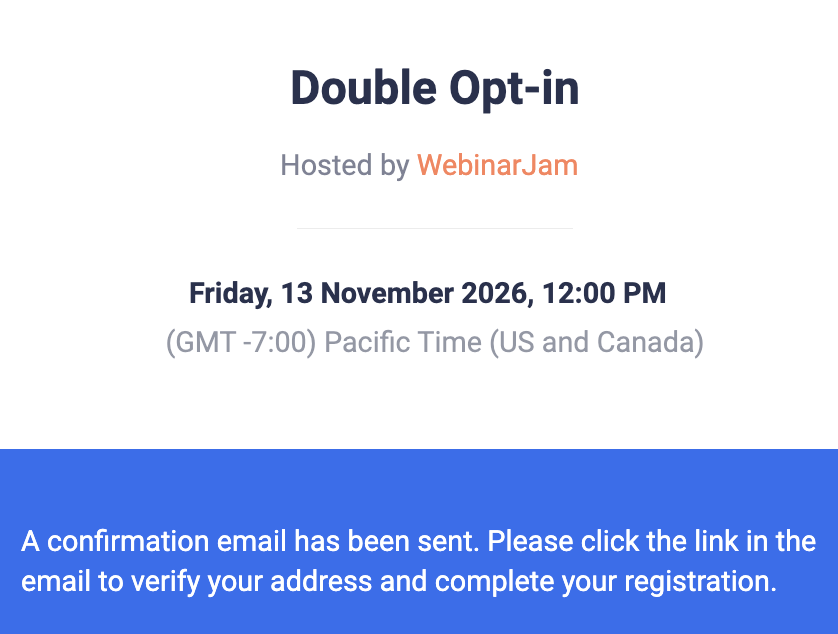
- They are shown a message on the Thank You page asking them to check their email and confirm their subscription.
- They receive the double opt-in confirmation email.
- They click the confirmation link in the email.
- After confirming, they are redirected to the standard Thank You page that displays their unique webinar room link.
Important: Registrants will not appear in the webinar registration list until they complete the confirmation process.