
Applies to: WebinarJam and EverWebinar
If you use a custom email address to send webinar notifications through WebinarJam Mail, you may see a DKIM warning in your webinar setup.
This warning appears when your sending domain hasn’t been authenticated.

Authenticating your domain:
- improves email deliverability
- helps prevent your webinar emails from being marked as spam.
DKIM (DomainKeys Identified Mail) verifies that you own the domain you are sending emails from.

How to authenticate your domain
If you use WebinarJam Mail:
- Go to Integrations > DKIM settings in your account
- Add your sending domain
- Follow the Sender Authentication Checklist
The process typically takes about 24 hours for setup and DNS propagation.
If you use an integrated SMTP service, complete the DKIM setup inside your SMTP provider’s account instead.
Can I ignore the warning?
You can dismiss the DKIM warning by checking:
“Okay, I understand that my emails will have low deliverability”
However, bypassing authentication is not recommended.
Sending from an unauthenticated domain can:
- Significantly reduce delivery rates
- Increase spam placement
- Damage your sender reputation
If you use an integrated SMTP to send your webinar notifications, start the DKIM setup in your SMTP account.
Using a free email provider
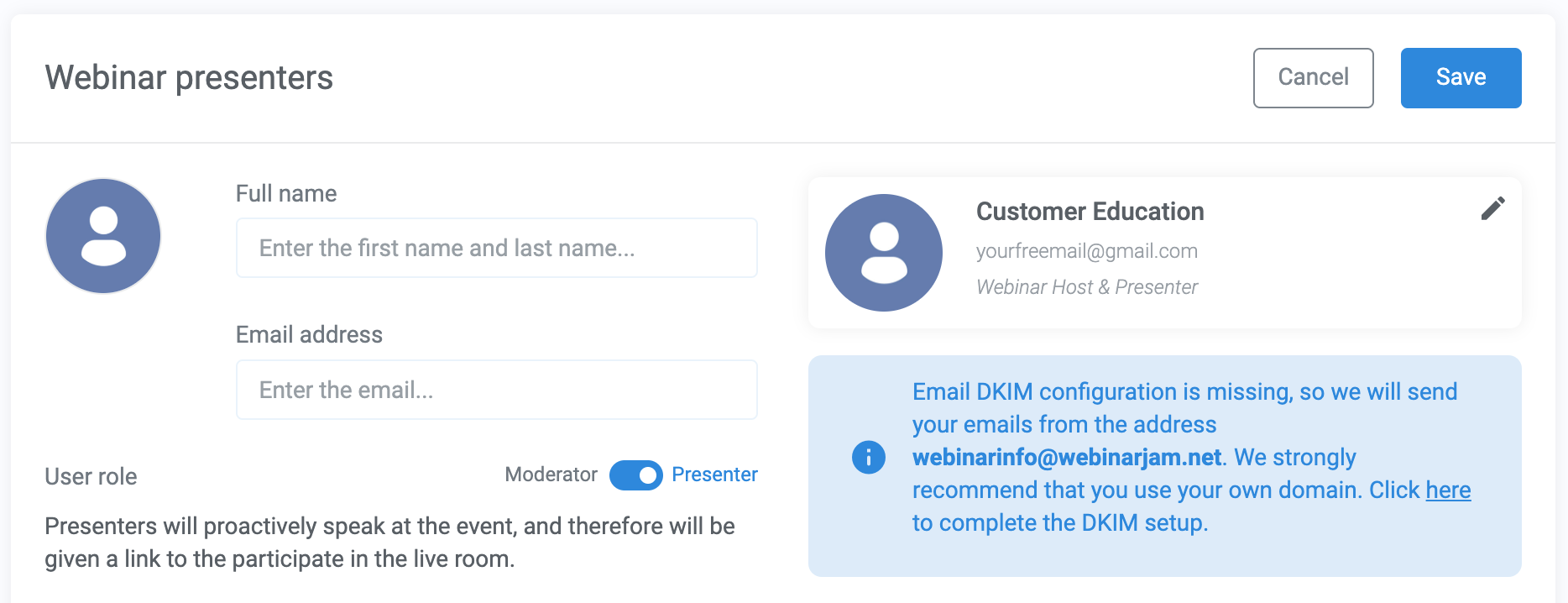
If your host email uses a free provider such as Gmail or Hotmail, you do not own that domain and cannot authenticate it.
In this case:
- WebinarJam will send emails from webinarinfo@webinarjam.net
- Registrants will receive the emails
- They will not be able to reply directly to your custom address
Using a custom business domain:
- Increases professionalism
- Strengthens your branding
- Allows attendees to reply to your emails
Learn more about customizing the email sender details.