
Applies to: WebinarJam and EverWebinar
Use this link if:
- A registrant lost their confirmation email
- Someone needs last-minute access
- You want to manually grant entry to specific individuals
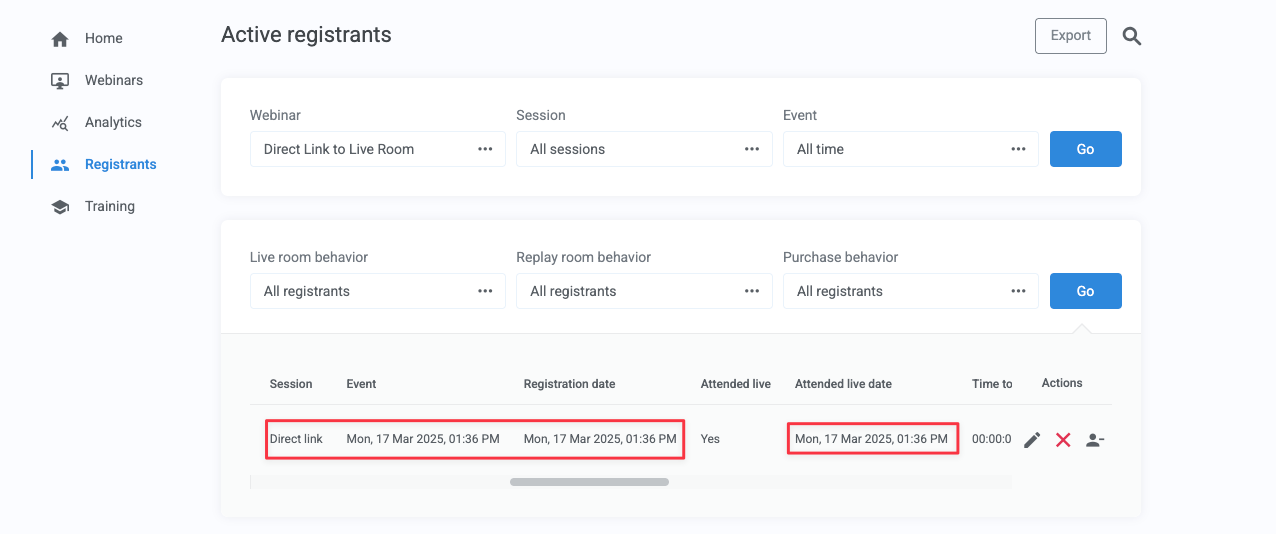
The direct link is not recommended for general promotion, as certain analytics are not tracked when attendees enter this way. However, the registration will still be tracked in the analytics, and the registrant will be added to the Registrant list.
How to find the direct link
To obtain your webinar’s direct link:
- Go to the Webinars dashboard and locate your webinar
- Click Your links

- In the Attendees tab, find Direct link to live room
- Copy the full URL
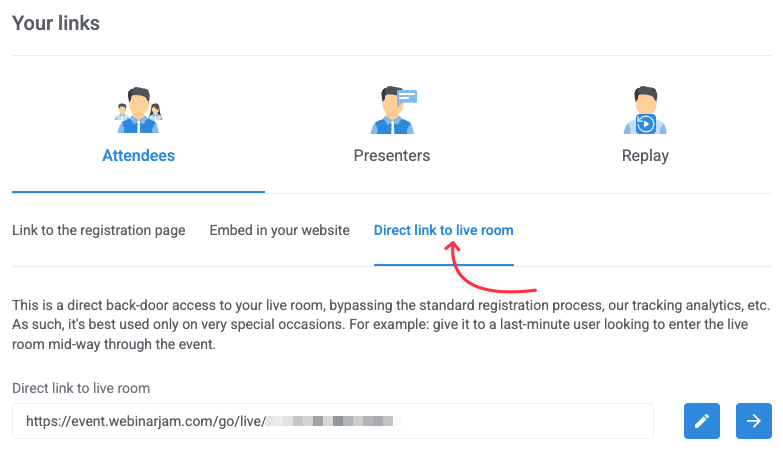
If available on your plan, click the pencil icon to customize the link (the domain cannot be changed).
Check your plan
Link customization is available in EverWebinar, WebinarJam Professional, and WebinarJam Enterprise.
What attendees experience
When someone uses the direct link, they must complete a login form, even if they previously registered.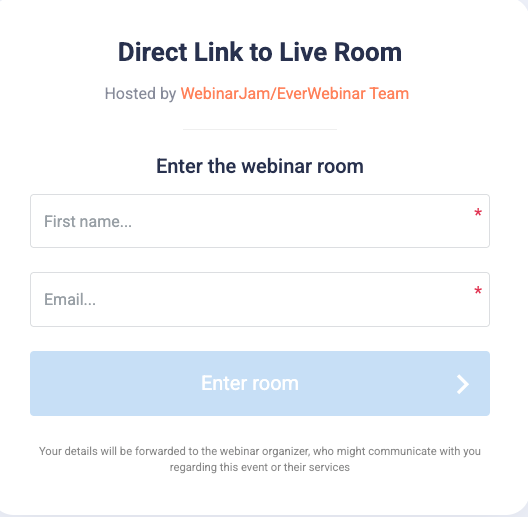
Password behavior:
- Does not work with Unique passwords for every attendee
- Works with a Master password
Analytics impact:
- Registration page visits are not tracked
- In EverWebinar, the Session column shows “Direct link”
Platform-specific behaviors
In WebinarJam
Notifications:
- No confirmation email is sent when someone joins via the direct link.
- Pre-webinar and post-webinar emails are still sent according to schedule.
When users click:
- The direct link takes users to the live session.
- If no live session is in progress, the user is taken to the countdown page of the next available session.
In EverWebinar
Notifications:
- No confirmation or pre-webinar emails are sent.
- Post-webinar emails are still sent according to schedule.
When users click:
- The direct link creates a new room starting as soon as someone clicks on it.
- This is true regardless of the time the session was scheduled.